
Hook · An app by Websout
Delete your Hook account
You can delete your Hook account at any time from the app. When you delete your account, your progress, XP, streak, and purchase data linked to that account will be permanently removed. Some information may be retained as described in our Privacy Policy.
Before you delete: This action is permanent. You will lose all mission progress,
XP, streaks, and level data. If you purchased lifetime access, that purchase cannot be restored
on a new account. This cannot be undone.
Delete your account in the Hook app
- Open the Hook app on your Android device.
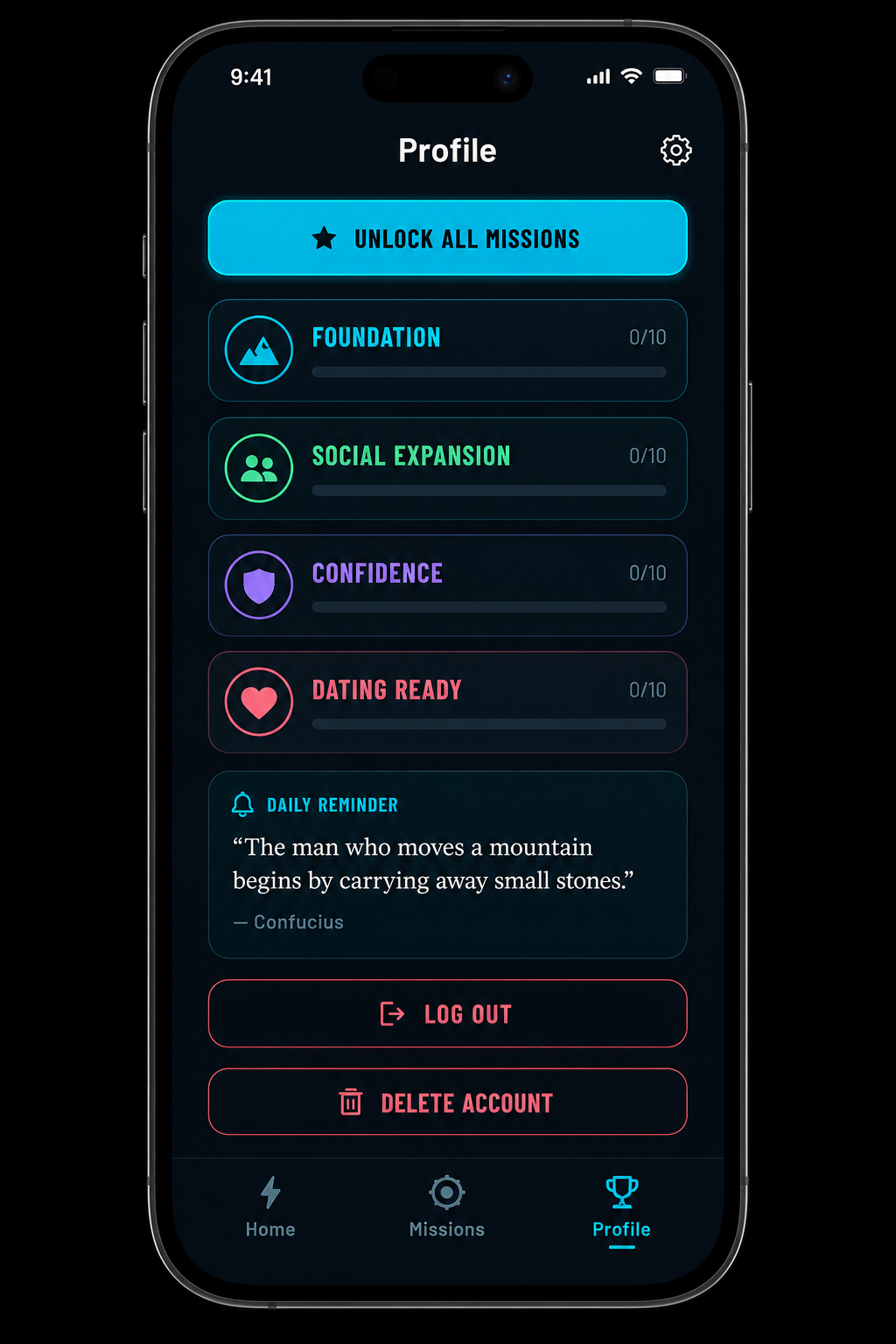
- Tap the Profile tab at the bottom (trophy icon).
- Scroll down to the account section at the bottom of your profile.
- Tap Delete Account.
- Confirm the deletion when prompted.
What happens when you delete
- Your account and sign-in credentials are permanently removed.
- All mission progress, XP, streaks, and level data are deleted.
- Cloud-synced progress linked to your account is erased.
- You will be signed out on all devices.
- You can create a new account later, but previous progress and purchases cannot be restored.
Request deletion by email
If you cannot access the app, you can request account deletion by email:
- Send an email to support@websout.com.
- Use the subject line: Delete my Hook account.
- Include the email address linked to your Hook account.
- We will verify your identity and process the request within 30 days.
Data we may keep after deletion
We may retain limited information where required by law or for legitimate purposes, such as:
- Records needed for legal compliance, fraud prevention, or dispute resolution.
- Backup copies deleted on our normal backup cycle (typically within 90 days).
- Aggregated or anonymized data that cannot identify you.
Need help?
Contact us at support@websout.com if you have trouble deleting your account or questions about your data.
For more information, see our Privacy Policy.